
Machine Vision vs Computer Vision: Everything You Need to Know

Every day, AI (artificial intelligence) helps with things like industrial process automation, increasing operational efficiency, and even improving safety in our everyday lives. At the forefront of visual AI is machine vision and computer vision. But what are these fields responsible for, and how different are they?
In this comprehensive guide, we’ll walk through machine vision vs computer vision, their similarities and differences, and how they’re used in everyday life.
What is machine vision?
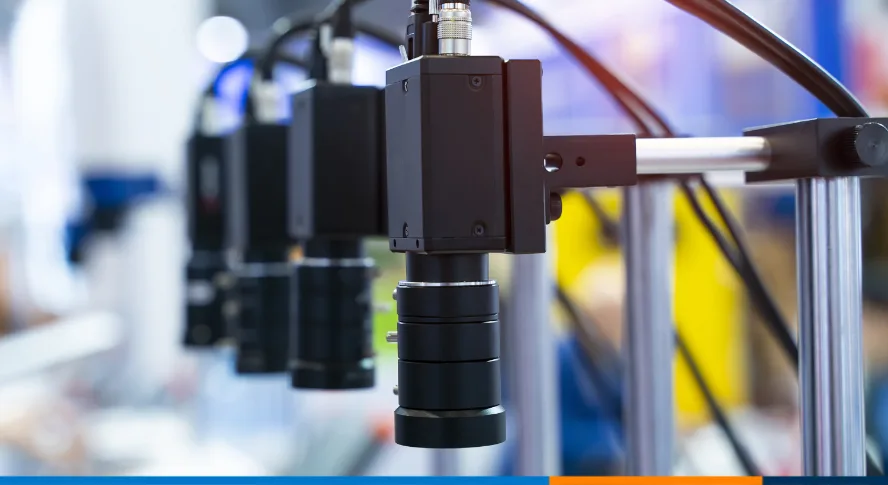
Machine vision encompasses the technology, methods, software, and hardware involved in visual input processing, typically in an industrial environment. In simple terms, machine vision is a system that captures images of a given environment using specialty cameras. This information is then processed and used for various applications such as visual inspection and object detection (which we’ll cover in more detail below).
How does machine vision work?
First, high quality cameras capture images of the environment. From there, certain pre-defined aspects of these images are processed. For example, suppose a machine vision algorithm is trained to be able to detect stop signs in photos. If the system captures an image of a street with multiple houses on each side, it will only look for the presence of a stop sign.
What is computer vision?
Computer vision is a field of AI that is used to process and analyze visual content such as images and video. The main goal of computer vision is task automation, and it allows a computer to “see” and analyze visual content similar to how a human would. Computer vision is often used for object identification in a variety of fields and applications ranging from manufacturing environments to in-vehicle applications (which we’ll dive deeper into below).
How does computer vision work?
Computer vision works by processing and analyzing visual inputs repeatedly until the algorithm has learned to recognize patterns and objects. Let’s take the same example we used for our definition of machine vision; a computer vision system could analyze a picture of a street with multiple houses on each side. It could then scan and identify the houses, the street, and various road signs, then analyze this data and deduce that the image is of a residential street.
Machine vision vs computer vision; how different are they?
With so many similarities and overlap between the two fields, it can be difficult to label which one is which. Let’s break it down and look at the similarities and differences.
Image processing vs analysis:
One of the biggest differences between machine vision and computer vision is how visual input is used. Machine vision is used to process the most important information in an image based on what the algorithm has been trained to look for. On the other hand, computer vision involves considerably more processing and analyzes the entire image.
Machine vision is often used for automated tasks. It works off of software with set, strict parameters that tell the cameras exactly what to look for. For example, a computer may be trained to quickly recognize certain defects in products on a manufacturing line so they can be removed.
Computer vision, however, does not have these same parameters. If you see a photo of a person you’ve never seen before, you’d be able to recognize it as a person even though you’ve never seen their face. Similarly, computer vision algorithms are fed large amounts of information in an effort to “teach” it how to recognize certain objects, mimicking how humans process images. Because of this, computer vision is often used for more complex tasks like image classification.
Where machine vision recognizes parts of images, computer vision both recognizes and makes inferences of images.
Visual media:
Machine vision can only process images that are taken by the system’s cameras. Computer vision, however, can process multiple forms of visual inputs including images and videosfrom multiple sources such as cameras, motion detectors, thermal sensors, radar, and LiDAR.
Real-time vs historical images:
Machine vision and computer vision both work off of visual input captured by video cameras. However, machine vision is limited to processing images captured by the system’s cameras, while computer vision can process pre-existing visual media. If all the application requires is analyzing saved media rather than images captured in real time, the computer vision system won’t require the use of any cameras.
Integrated vs standalone use:
Due to the need for specific software, machine vision systems cannot work on their own and need to be integrated into a larger system. In fact, many machine vision systems are used alongside computer vision. Computer vision systems, conversely, can be used as a standalone solution.
Application | Machine Vision | Computer Vision |
|---|---|---|
Image processing | X | X |
Image analysis | X | X |
Still images | X | X |
Multimedia visual: video, LiDAR, thermal, etc. | X | |
Real-time processing | X | X |
Historical image processing | X | |
Integrated solution | X | X |
Standalone solution | X |
Machine vision examples
Quality assurance: Due to how quick and automated machine vision makes tasks, it is often used for visual inspection on production lines. With a machine vision system, cameras can capture images of products on the manufacturing line and detect production anomalies such as food wrappers not being properly sealed or parts on a product not being properly soldered.
Object sorting: Tomato sorting machines can use machine vision to help sort the tomatoes based on color. If the camera detects that the color of the tomato is green or otherwise unsuitable for what it will be used for, the product can then be removed quickly and automatically.
Computer vision examples
Manufacturing safety: Through the use of computer vision, manufacturing environments can be made more safe by analyzing live video footage and detecting whether or not personnel are wearing PPE such as reflective vests, hard hats, gloves, or safety goggles.
Vehicles: Many modern cars have object recognition capabilities that utilize computer vision. For example, lane detection has become an increasingly common feature. This technology can identify boundaries on a road and assist drivers who near or cross the lines by gently nudging the car back into the appropriate lane.


Looking for your AI vision solution or have any questions about machine vision vs computer vision? Check out our line of machine vision computers, which are also an ideal fit for computer vision applications, and contact OnLogic today.
For further reading, check out our customer stories on Artemis Vision and Flasheye to see how OnLogic became the platform for their machine vision and computer vision (respectively) solutions.
